
View All Column Information in Smartsheet
SSFeatures shows you everything about your columns in one place. See formulas, column types, descriptions, dropdown options, and contacts all in a searchable table.
The Problem
Smartsheet hides useful column information. To see a column's formula, you have to click on the column, then click "Edit Column Properties". To see dropdown options, you have to edit the column. To see contact lists, same thing. Each column requires multiple clicks.
This gets tedious fast:
- Click a column header.
- Click "Edit Column Properties".
- Scroll to find the formula or options you need.
- Close the dialog.
- Repeat for the next column.
When do you need to see column information?
- When you're troubleshooting a formula that's not working
- When you need to see all the dropdown options across your sheet
- When you're documenting your sheet structure for teammates
- When you want to find which columns have formulas
- When you're looking for a specific contact in your contact list columns
The Solution with SSFeatures
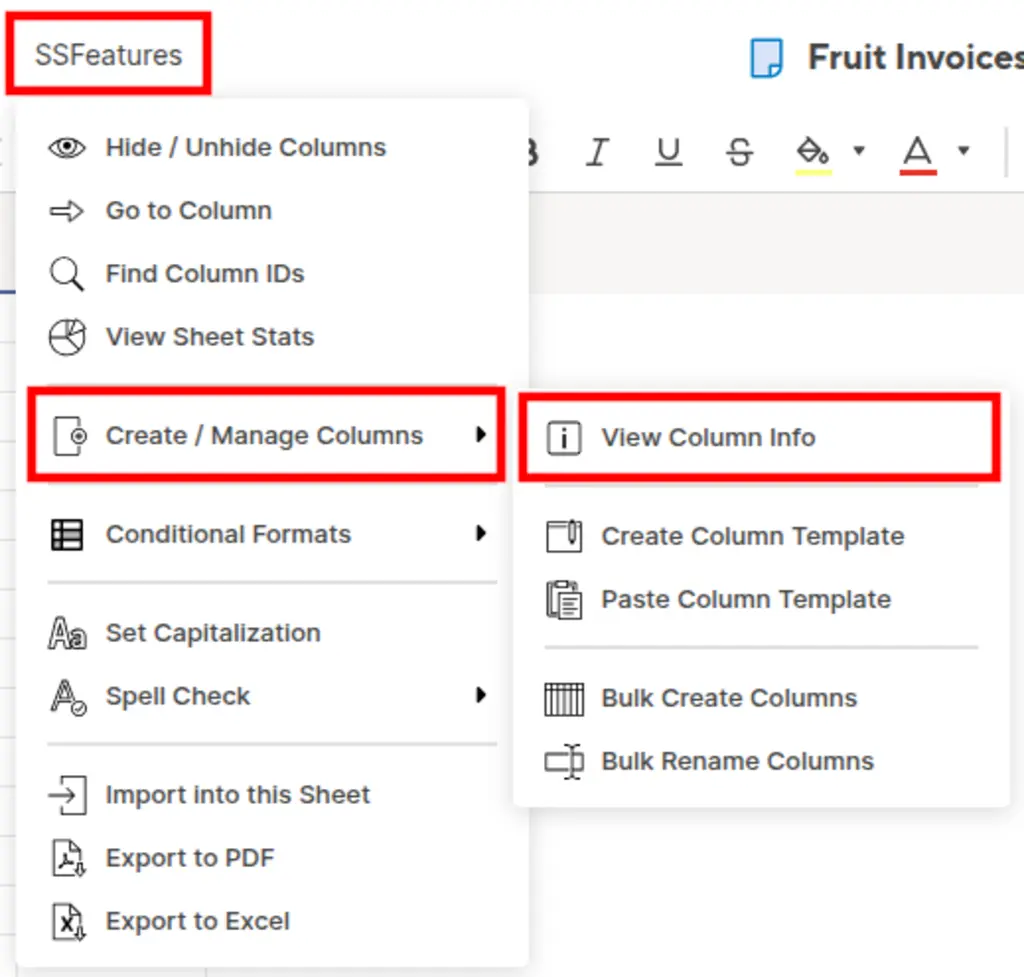
SSFeatures adds a "View Column Info" button in Smartsheet. Click it, and a popup shows all your column details in a table.
What You Can See
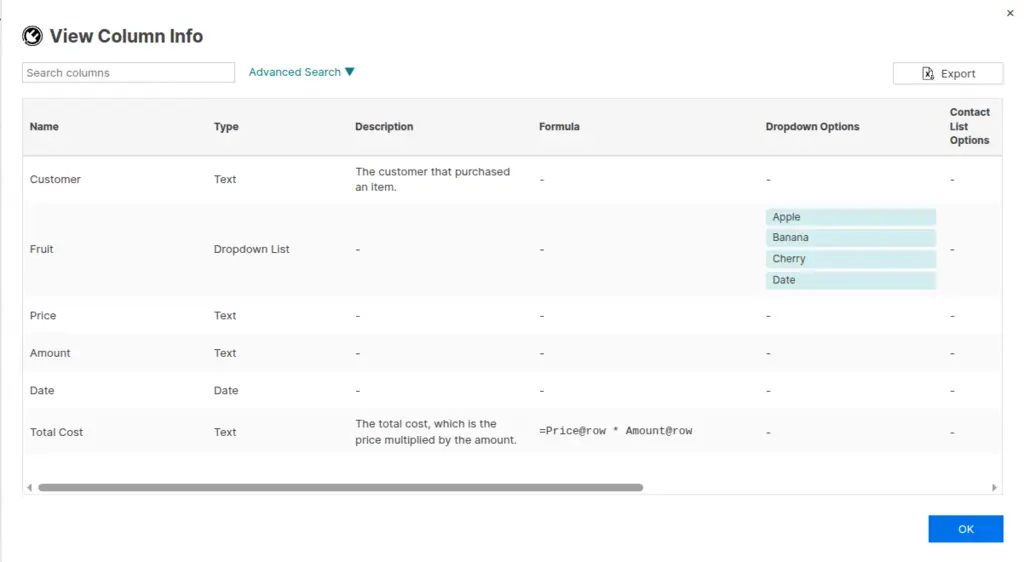
The table shows all of this information for every column:
| Column | What It Shows |
|---|---|
| Name | The column name |
| Type | Text/Number, Date, Dropdown, Contact List, etc. |
| Description | Your column description (if you added one) |
| Formula | The column formula (if it has one) |
| Dropdown Options | All options in dropdown columns |
| Contact List | All contacts in contact list columns |
| Restricted | Whether the column restricts input to list values only |
| Format | A preview of the column's text formatting |
| Locked | Whether the column is locked |
| Primary | Whether it's the primary column |
| System Column | Whether it's a system-generated column |
| Column ID | The Smartsheet column ID (useful for API work) |
| Width | The column width in pixels |
| Auto Number | Auto-number settings (if configured) |
Search and Filter
Use the search box to quickly find what you're looking for. Type a column name, formula text, or dropdown option, and the table filters instantly.
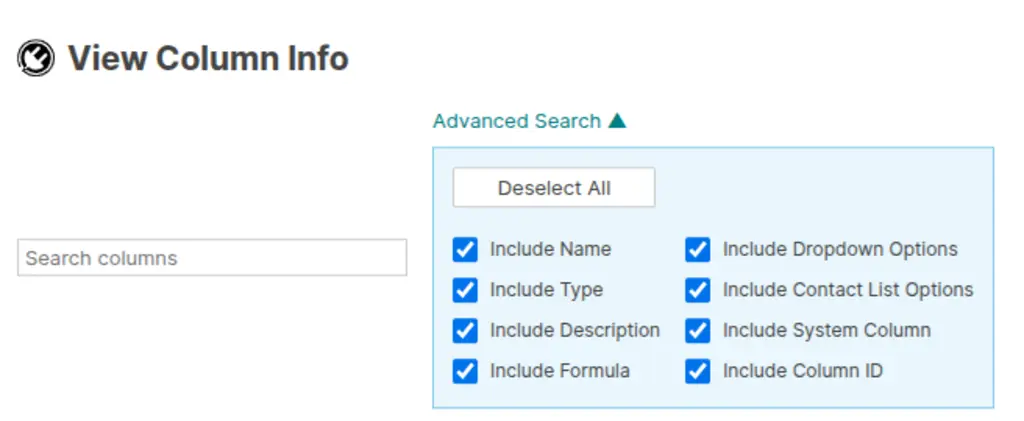
Click "Advanced Search" to choose which columns to include in your search. For example, you could search only in formulas or only in dropdown options.
Copy Data with One Click
Each cell with complex data (like formulas, dropdown options, or contact lists) has a copy button. Click it to copy all the data to your clipboard.
Export to Excel
Click the Export button to download all your column information to an Excel file. This is great for documentation, audits, or sharing with teammates who don't have SSFeatures.

Sort and Reorder Columns
Click any column header to sort the table. You can also drag columns to reorder them. The export respects your current sort and column order.
Demo Video
Frequently Asked Questions
Does this work on reports?
- Yes! The Column Viewer works on both sheets and reports. For reports, SSFeatures even shows column descriptions from the source sheets.
Can I copy all my contact list emails at once?
- Yes! Click the copy button next to any contact list cell. It copies all the names and emails in a format that's easy to paste elsewhere.
What if a column doesn't have a formula or description?
- The cell will be empty. You can use the advanced search to find only columns that have formulas by unchecking other search options.
Can you tell me more about the security and privacy of this feature?
- Absolutely. SSFeatures works entirely in your browser. It uses the same Smartsheet code that you already use. None of your sheet data is ever sent to our servers. Everything stays private and secure.
Solutions
Click Here to learn more about how this feature relates to Smartsheet as a whole.




