
See Full Text in Smartsheet Automation Workflows
SSFeatures fixes the Smartsheet automation workflow editor so you can see all your text. No more guessing what your column names or email content actually say.
The Problem
Smartsheet's automation workflow editor cuts off text. You can't see full column names, sheet names, or email content. The editor shows only a few words, then adds "..." and hides the rest.
This causes real problems:
- You can't tell which column you selected when names look similar.
- Long sheet names get cut off, so you can't verify you picked the right one.
- Email subjects and body content are hidden, making it hard to review your workflow.
- You end up guessing what the actual values are.
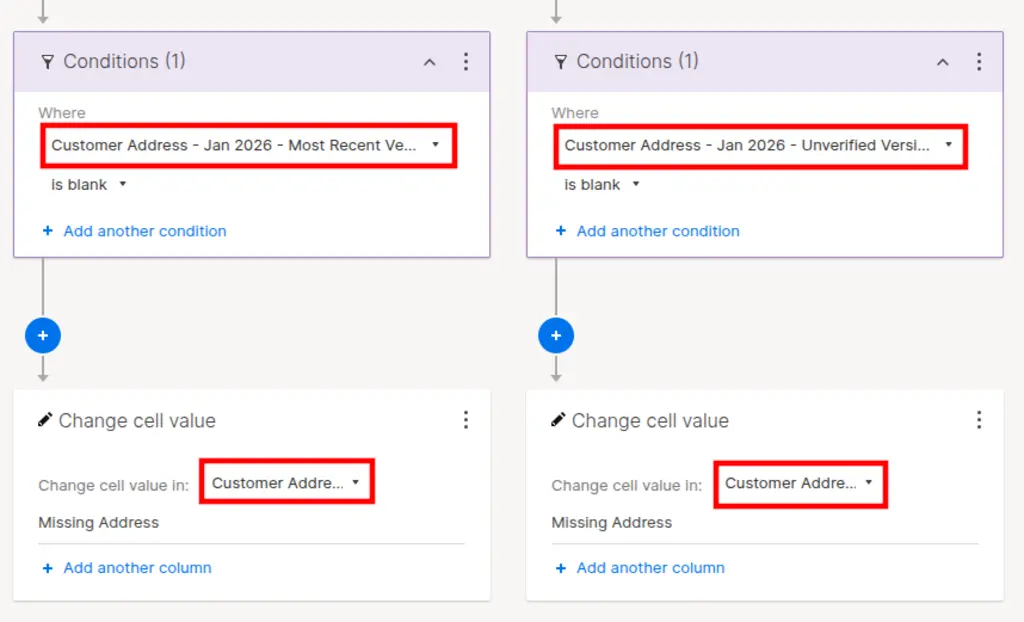
When does this hurt you the most?
- When you have many columns with similar names like "Status", "Status Updated", "Status Approved"
- When your sheet names include project codes or dates
- When reviewing email notifications that other people created
- When troubleshooting why an automation isn't working
The Solution with SSFeatures
SSFeatures automatically fixes the editor so you can see the full text. There's nothing to click. When you open an automation workflow, SSFeatures adjusts the styles so text wraps instead of getting cut off.
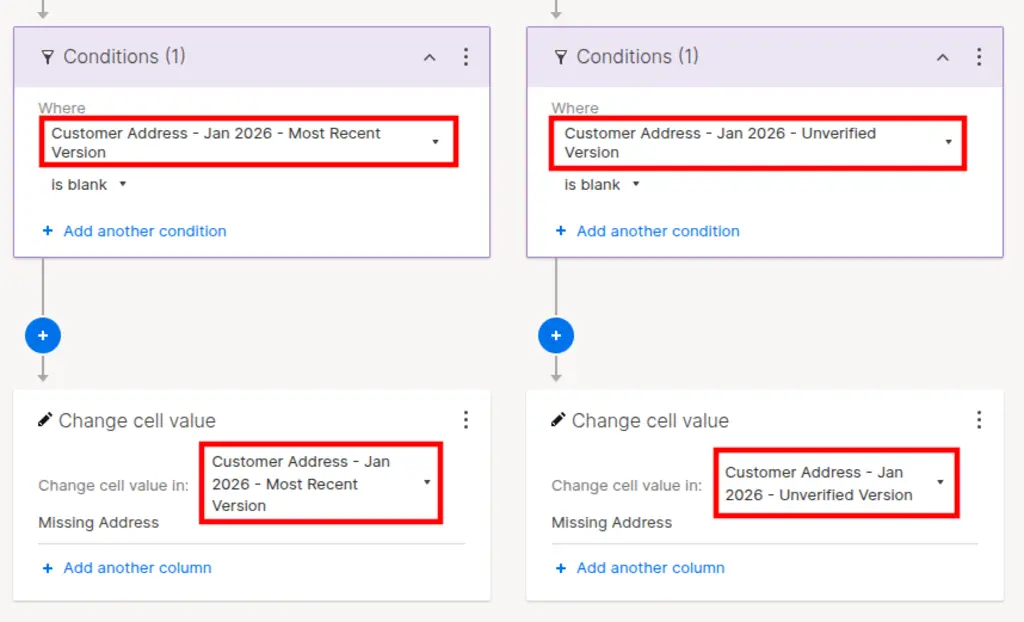
What SSFeatures Fixes
- Column names: See the full name of each column in your workflow.
- Sheet names: See the complete sheet name when selecting source sheets.
- Email subjects: See the full subject line of notification emails.
- Email content: See the entire email body without scrolling.
- Move/Copy row sheet selection: See the full destination sheet name.
Toggle On or Off
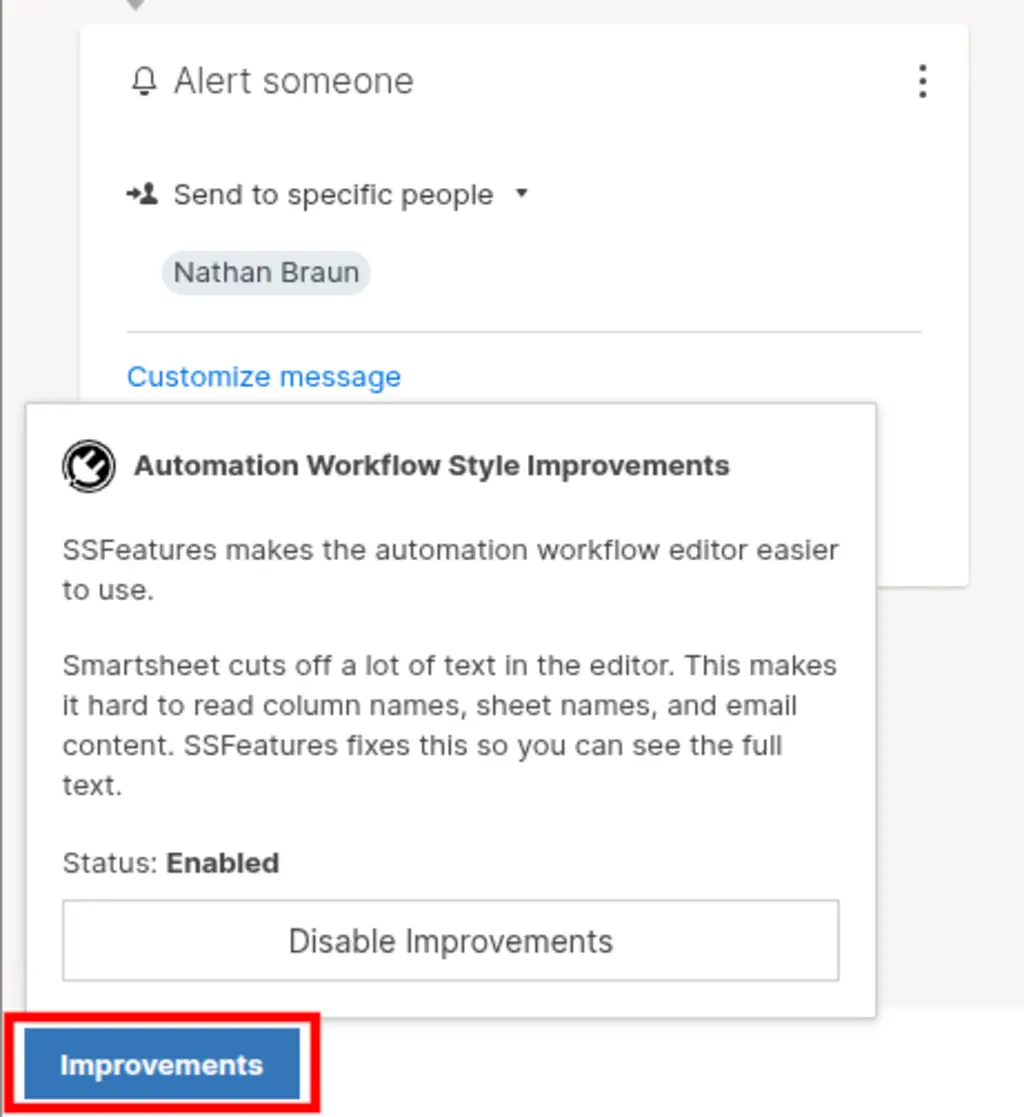
You can turn this feature on or off. Click the SSFeatures button that appears in the automation editor. A tooltip shows the current status and lets you toggle the setting.
Demo Video
Frequently Asked Questions
Does this change my actual automation workflows?
- No. SSFeatures only changes how the editor displays text. Your automation workflows stay exactly the same. This is a visual improvement only.
Will this work on all automation workflows?
- Yes! SSFeatures works on all types of automation workflows, including alerts, reminders, approval requests, and custom workflows.
Can you tell me more about the security and privacy of this feature?
- Absolutely. SSFeatures works entirely in your browser. It uses the same Smartsheet code that you already use. None of your sheet data is ever sent to our servers. Everything stays private and secure.
Solutions
Click Here to learn more about how this feature relates to Smartsheet as a whole.




